

Articles
Explore in-depth articles, guides, and educational content to enhance your trading knowledge.
What Is a Liquidity Provider in Forex?
A forex liquidity provider supplies tradable prices and market depth used by brokers for pricing or execution. This guide explains who provides forex liquidity, how brokers connect to LPs and aggregators, and how liquidity conditions affect spreads, slippage and execution quality.

What Is Forex Volatility? How to Trade It Profitably
Forex volatility measures how far and how often a currency pair moves, not which way it is going. Traders who quantify it first — with ATR, historical volatility or average daily range — get better stop placement, more consistent position sizing and a realistic view of which pairs and sessions are worth trading. High volatility widens opportunity and cost at the same time: spreads stretch, slippage grows and fixed pip stops stop working. The profitable approach is not to predict volatility but to adapt exposure to it, treating a volatility reading as a sizing and risk input rather than a buy or sell signal.
What Is VPS for Forex Trading? Do You Need One for EAs?
A Forex VPS is a rented Windows server that keeps MT4 or MT5 and your Expert Advisor running around the clock, independent of your own computer's power, internet connection and updates. It matters most for EAs that must stay live continuously — 24/5 grid and scalping systems, news-reaction robots, trade copiers — where a dropped connection means an unmanaged open position rather than a missed opportunity. It reduces latency to the broker only when the server sits near the broker's trade servers, and it cannot make a losing strategy profitable. Manual traders and EAs that run for a few supervised hours a day generally do not need one. MetaTrader's own virtual hosting starts at about $10–15 per month and reports latency under 10 ms to 96% of broker servers; commercial Windows VPS plans cost more but give full desktop access.

How to Set Up Alerts in MT4 and MT5: A Step-by-Step Guide
MetaTrader alerts are created in the Alerts tab of the Terminal (MT4) or Toolbox (MT5), using conditions such as Bid>, Bid<, Ask> and Time=, and they can play a sound, run a file, send an email or push a message to a phone. The two platforms use nearly identical dialogues, so the practical differences are elsewhere: MT5 covers more asset classes and, since build 858 in October 2013, also pushes trade-event notifications and lets alerts be dragged on the chart. Push alerts need a MetaQuotes ID from the mobile app entered in Tools > Options > Notifications, and email alerts need working SMTP credentials. Every alert depends on the desktop terminal staying open and connected, which is the single most common reason alerts appear to fail.

Best Currency Pairs for Beginners: Low Spread & High Liquidity
For most new traders, EUR/USD is the sensible default: it sits on the two most heavily traded currencies in the market, which usually translates into the tightest spreads a retail broker offers and dependable execution through the London and New York sessions. GBP/USD, USD/JPY, AUD/USD and USD/CAD are reasonable second choices, each trading off wider intraday ranges or session-specific liquidity for a different kind of opportunity. Low spreads alone are not a reason to pick a pair — the cost only matters relative to how far the pair actually moves and whether it is liquid at the hours you can trade. Exotic pairs fail on every beginner criterion at once: wider spreads, thinner books and larger gaps around news.
What Is Hedging in Forex Trading? Strategies and Broker Rules
Forex hedging offsets an existing currency exposure instead of closing it, and it reduces directional risk rather than removing risk altogether. Whether you can do it at all depends on your broker and your account: MetaTrader 5 accounts run either netting mode, where an opposite trade reduces, closes or reverses the position, or hedging mode, where it opens a second one — and the broker sets that when the account is created. Some jurisdictions restrict the technique further for retail clients, so the client agreement matters as much as the platform. A hedge is rarely free: spreads, commissions and overnight swap accrue on both legs, and margin depends on how the symbol treats covered volume. Hedging is a timing and exposure tool with a defined purpose and exit rule, not a way to make a losing trade profitable.

Forex Trading Psychology: How to Control Fear and Greed
Most retail Forex accounts lose money, and the gap between a tested strategy and a losing account is usually behavioural rather than analytical. Fear makes traders cut winners early, move stop losses and skip valid setups; greed makes them oversize after a winning streak and chase price. The fix is structural, not motivational: define risk before entry, size positions so a single loss is survivable, cap the number of trades and the daily loss, use a pre-trade checklist, and journal decisions rather than outcomes. Regulatory safeguards such as ESMA's 30:1 leverage cap, the 50% margin close-out rule and negative balance protection reduce the size of the mistake, but they do not remove the decision that caused it.
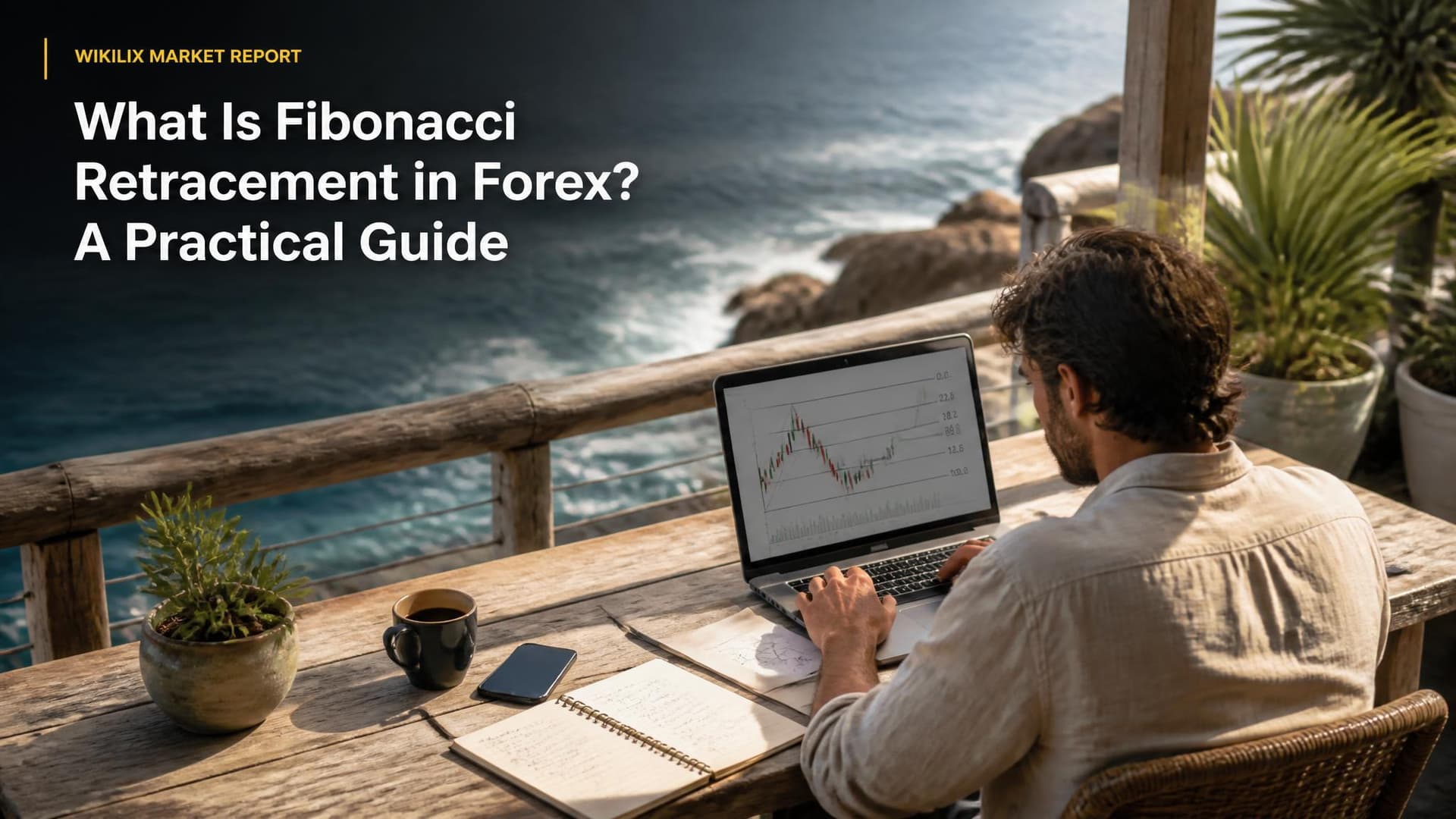
What Is Fibonacci Retracement in Forex? A Practical Guide
Fibonacci retracement divides a completed price swing into percentage levels — 23.6%, 38.2%, 50%, 61.8% and 78.6% — that traders watch as possible support or resistance during a pullback. Drawn from swing low to swing high in an uptrend and from swing high to swing low in a downtrend, the levels are a framework for locating pullback entries, placing stops beyond the swing extreme and setting targets from prior highs, lows and extensions. They are not signals: none of the levels reverses price on its own, they only work as well as the swing points chosen, and they need confirmation from market structure, candlestick behaviour or an indicator before a trade is justified.

Forex Trading Costs Explained: Beyond Spread and Commission
The advertised spread is rarely the whole bill. A Forex position pays a bid-ask spread on entry and exit, a per-lot commission on raw-spread accounts, a nightly swap for as long as it stays open, and a slippage cost that only shows up in the fill price. Add currency conversion, inactivity and withdrawal charges, and the all-in figure can be several times the number on a broker's homepage. Costs are lowest in deep, liquid conditions — major pairs during the London–New York overlap — and they matter most to traders whose average win is small, because cost is deducted from every trade whether the trade works or not. Comparing brokers on total cost per round turn, not on headline spread, is the only comparison that reflects what a strategy actually pays.

How to Read Forex Economic Calendar: A Trader's Guide
A Forex economic calendar is a schedule of dated, timed macroeconomic releases and central-bank events, each carrying an impact rating and three numbers: actual, forecast and previous. Currencies move mainly on the gap between actual and forecast, not on whether a number is good in absolute terms, because expectations are already priced in. Used properly, the calendar is a risk tool first and an opportunity tool second: it tells a trader when spreads are likely to widen, when a stop is likely to slip, and which of the week's events genuinely concern the pairs on the watchlist. The practical skill is filtering by currency and impact, checking the release time in the platform's own time zone, and deciding in advance whether to hold, flatten or stand aside.

FTMO vs TopstepTrader: Which Prop Firm Pays Better?
FTMO and TopstepTrader are not really competitors for the same trader. FTMO funds Forex and CFD traders through a 10%/5% two-phase or single-phase challenge and pays 80% of simulated profits, rising to 90% under its Scaling Plan, on demand from 14 days after the first trade. Topstep funds futures traders, sets much smaller profit targets — $3,000 on a 50K account — but polices a trailing Maximum Loss Limit and requires five $150+ winning days before a payout capped at 50% of the balance. On headline split the two are close at 90%; on realistic withdrawal potential Topstep pays sooner and in smaller instalments, while FTMO pays larger sums less often. Market preference, not profit split, should decide it.
TradingView vs MT4: Can You Trade Directly from TradingView?
You can place and manage real orders directly from TradingView charts, but only through one of the 100+ brokers integrated with the platform, and only for the instruments and account types that broker exposes. TradingView wins on charting, drawing tools and cross-asset coverage; MT4 wins on broker availability among forex and CFD firms and on genuine server-side automation, because Expert Advisors execute real orders while Pine Script strategies run against a broker emulator and never do. Many forex traders end up running both — analysis in TradingView, execution in MT4 — and the deciding factor is usually which platforms their broker actually supports.
All articles A–Z
All 85 Wikilix articles, by title. Open one for the full guide.
- What Is an ECN Broker? Full Beginner Guide
- Are Prop Firms Legit? Red Flags & What to Look For
- Best Brokers for Crypto CFD Trading
- Best Brokers for Gold Trading (XAU/USD) in 2026
- Best Brokers for Nasdaq 100 (US100) Trading
- Best Brokers for Options Trading 2026 | Wikilix
- Best Crypto Prop Trading Firms 2026 | Wikilix
- Best Currency Pairs for Beginners: Low Spread & High Liquidity
- Best ECN Forex Brokers in 2026
- Best Forex Brokers Accepting USDT (TRC20 & ERC20)
- Best Forex Brokers by Region 2026 | Wikilix
- Best Forex Brokers for Asian Traders (2026 Update)
- Best Forex Brokers for Beginners 2026 | Wikilix
- Best Forex Brokers for Middle East Traders 2026
- Best Forex Brokers for Scalping Strategies
- Best Forex Brokers for Small Account Traders ($100 Minimum Deposit)
- Best Forex Brokers for US Traders 2026 | Wikilix
- Best Forex Brokers with Bonus & Promotions 2026
- Best Forex Brokers with Instant Withdrawals
- Best Funded Trader Programs 2026 | Wikilix
- Best Instant Funding Prop Firms in 2026
- Best Low Commission Forex Brokers (Raw Spread Accounts)
- Best MT4 Brokers 2026 – Top MetaTrader 4 | Wikilix
- Best MT5 Brokers 2026 – Top MetaTrader 5
- Best Offshore Forex Brokers with High Leverage in 2026
- Best One-Step Prop Firm Challenges
- Best Prop Firms for Beginners
- Best Prop Firms for Forex Traders 2026 | Wikilix
- Best Prop Firms for Swing Traders 2026 | Wikilix
- Best Prop Firms with No Time Limit 2026 | Wikilix
- Best Prop Trading Firms with High Profit Split
- Best Two-Step Prop Firm Challenges 2026 | Wikilix
- Broker Terms and Conditions: Red Flags to Watch
- Can Forex Brokers Cancel Profitable Trades?
- Can You Use EAs in Prop Firms?
- Clone Broker Scams Explained: How to Spot Fake Licenses
- Commission Per Lot Explained in Forex Trading
- Daily Drawdown vs Maximum Drawdown: Key Differences Explained
- Forex Trading Costs Explained: Beyond Spread and Commission
- Forex Trading Psychology: How to Control Fear and Greed
- Forex Trading Sessions Explained – Best Times to Trade
- Forex vs Stocks 2026 – Which Market Should You Trade?
- FTMO vs MyForexFunds 2026 – Which Is Better? | Wikilix
- FTMO vs TopstepTrader: Which Prop Firm Pays Better?
- How Forex Broker Withdrawals Work
- How Forex Brokers Hedge Client Risk
- How Offshore Forex Regulation Really Works
- How Prop Trading Firms Make Money (Business Model Explained)
- How Scaling Plans Work in Prop Trading Firms
- How Slippage Happens in Forex Trading
- How to Avoid Forex Scams in 2026 (Complete Safety Guide)
- How to Choose the Right Prop Firm for You | Wikilix
- How to Compare Forex Brokers | Wikilix
- How to Pass a Prop Firm Challenge | Wikilix
- How to Read Forex Charts – Beginner's Guide | Wikilix
- How to Read Forex Economic Calendar: A Trader's Guide
- How to Set Up Alerts in MT4 and MT5: A Step-by-Step Guide
- How to Verify a Forex Broker’s License (Step-by-Step Guide)
- IC Markets vs Pepperstone 2026 – Which Broker Wins?
- Is Forex Trading Legal in Your Country? | Wikilix
- Market Maker vs ECN Brokers: Full Comparison Guide
- MT4 vs MT5: Which Trading Platform Is Better? | Wikilix
- Negative Balance Protection Explained: How It Protects Traders
- Prop Firm Mastery Guide 2026 | Wikilix
- Prop Firm Rules Explained – What Every Trader Must Know
- Prop Firm vs Retail Broker – Key Differences 2026
- Prop Trading Firms vs. Traditional Brokers: Pros and Cons
- Segregated Accounts Explained: How Brokers Protect Your Funds
- Spread vs Commission: Which Trading Model Is Cheaper?
- Swap Rates Explained in Forex Trading
- The Rise of AI in Trading: Brokers Offering AI Analysis Tools
- TradingView vs MT4: Can You Trade Directly from TradingView?
- Warning Signs of Fake Forex Brokers You Must Know
- What Happens After Passing a Prop Firm Challenge?| Wikilix
- What Happens If Your Forex Broker Goes Bankrupt?
- What Is a CFD? Complete Beginner's Guide 2026
- What Is a Liquidity Provider in Forex?
- What Is a Margin Call? Explained with Examples
- What Is a Pip in Forex? Definition & Examples 2026
- What Is Fibonacci Retracement in Forex? A Practical Guide
- What Is Forex Volatility? How to Trade It Profitably
- What Is Hedging in Forex Trading? Strategies and Broker Rules
- What Is Stop-Out Level in Forex?
- What Is VPS for Forex Trading? Do You Need One for EAs?
- XM vs Exness 2026 – Full Broker Comparison | Wikilix